


TV Cast | Ultimate Edition
4.0539.00 Reviews
App Specs
- Version
- 1.6
- Updated On
- License
- $9.99
- Downloads
- 100,000+
- Developer
- 2kit consulting
- Categories
- Video Players & Editors
- Platform
- Android
Screenshots

 Analysis by AppCompare
I usually judge a casting app by a simple question: does it make the trip from a web page on my phone to the big screen feel easier than the alternatives? TV Cast | Ultimate Edition is built for exactly that job. It sits in the video players and editors category, but it is less about editing clips and more about sending online video to a television or streaming device. In my experience, that focused purpose is both its main strength and the reason some people will find it too limited.
The app is developed by 2kit consulting and carries a 4.0 average from around 2.9 thousand ratings, with more than 500 reviews behind that overall impression. It has passed the 100 thousand install mark, so it is not an obscure experiment, yet it still feels like a specialist tool rather than an all-purpose entertainment hub. The price is $9.99, which makes the buying decision more important than it would be for a free utility.
What I would check before choosing it
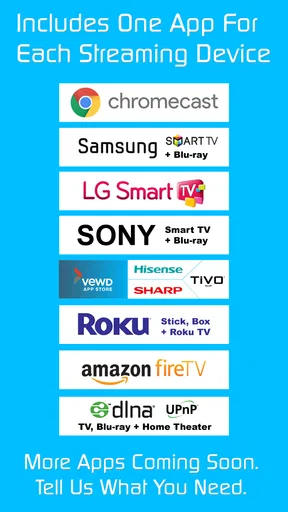
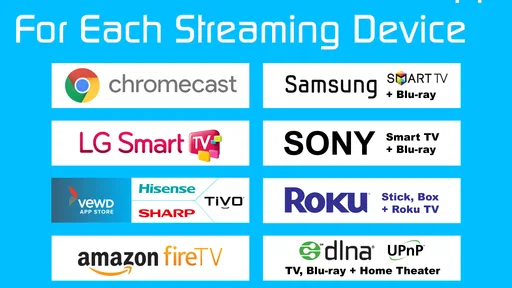
My first decision criterion would be the device I want to use at home. This app is designed to work with a broad spread of television and receiver ecosystems, including Chromecast, Samsung, LG, Sony, Roku, Fire TV and DLNA-compatible equipment. That range is useful when a household has mixed hardware, or when the television is not tied to one company’s own mobile application.
That broad compatibility should not be confused with a guarantee that every website will behave identically. Web video is inconsistent. One page may expose a playable stream cleanly, while another may wrap its content in advertising, a login wall, a custom player or protection that prevents outside casting. I would therefore choose this app for flexible web-video access, not as a promise that every video on the internet will appear on the television.
The second criterion is how often I watch browser-based material. If most of my viewing comes from services with excellent official television apps, I would normally start there. Official apps tend to offer better account handling, recommendations, subtitles and remote-control integration. TV Cast becomes more interesting when the content lives on a website, in a niche service, or in a page that does not have a convenient app for my television.
The third question is whether I want a phone-based remote experience. Casting is convenient when I want to browse on a handset and watch on a larger screen, but it still leaves the phone involved in the process. I need to keep the app available for control, and I may need to return to it when a page changes or playback stops. That is a different experience from opening a native TV app and leaving the phone aside.
Compatibility with the phone itself also matters. The listed minimum operating-system requirement is Android 4.4W, and the current version is 1.6. That makes the app relevant to older Android environments, although I would still check how well a particular handset and television communicate before building my entire viewing routine around it. The age rating is Everyone, which fits a utility intended for general household use rather than a service centered on mature content.
Worth Reading Before You Choose

EA SPORTS FC Mobile 26 Is a Bigger Football Game, but It Takes Time

Flipboard Shows What News Apps Must Do Beyond the Feed

Switching to Android Auto Means Rethinking Your Driving Routine

Google Calendar Makes a Crowded Week Easier to Manage

Ludo King Makes the Most of the Minutes Between Plans

Baby Panda World Brings Quick Play to Modern Phones, but Its Game Library Feels Busy
The practical setup I would use
I would begin with both the phone and the receiving device connected to the same home network. That is the first troubleshooting step I would take if the television does not appear. I would then open the app, select the receiver, and test it with a short, ordinary web video before trying a long program. A quick test separates connection problems from website-specific problems and saves the frustration of discovering an issue halfway through a film.
For a family living room, I would also decide who is responsible for starting playback. If one person browses and another wants to use the television, the phone can become a point of friction. The smoother routine is to choose the video first, start casting, and then keep the handset available only for pause, resume or navigation. That small habit makes the product feel much less intrusive.
Another useful habit is to keep a backup viewing method ready. If a particular page refuses to cast, I would try its official television application, a direct service app, or a different browser-based source rather than repeatedly restarting the same stream. The value of this app is flexibility, not universal control over how websites deliver their media.
Where it earns its place
The strongest use case is the awkward video that is easy to find on a phone but inconvenient to watch there. Imagine finding a long tutorial, a conference recording, a local broadcaster’s web player or a specialist video page while sitting on the sofa. Instead of passing the phone around or balancing it against a cup, I can send the picture to the television and use the handset as the starting point.
This is also useful when guests bring different phones or when the home includes more than one television brand. A household that has a Chromecast in one room, a Roku in another and a DLNA-capable receiver elsewhere may prefer one casting approach over several manufacturer-specific apps. The benefit is not that every device becomes identical; it is that the user has one familiar place to begin.
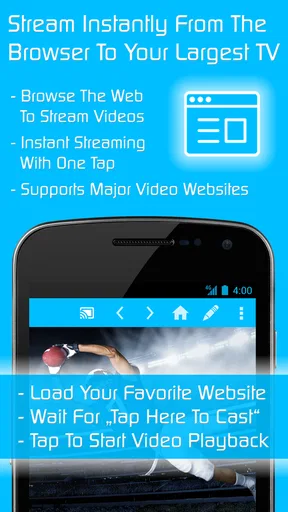
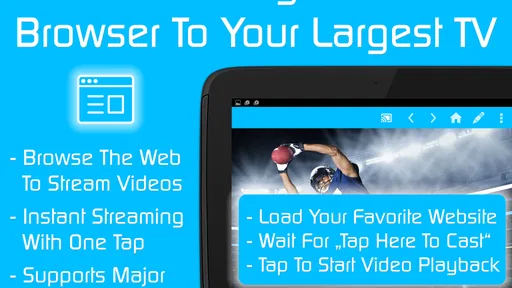
I particularly like the separation between discovery and viewing. The phone is better for searching a web page, reading descriptions and deciding what is worth watching. The television is better for the actual picture. That division can feel more natural than trying to navigate a full web browser with a television remote, especially when the page contains menus, small controls or a long list of videos.
There is a less obvious advantage for occasional viewing. I do not need to reorganize my home screen around a service I use only once in a while. If the content is available through a web page but does not justify a dedicated television app, a casting utility can fill that gap. This makes it more valuable to curious viewers than to people who watch only a fixed list of mainstream platforms.
It can also help when a television’s built-in browser is unpleasant to use. Browsing on the phone lets me avoid slow text entry with a remote and makes it easier to open a specific page. I would still expect the website’s own player to determine the final quality of the experience, but the app improves the route to that player.
Important limitations before paying
The $9.99 price changes how I evaluate the app. I would not buy it simply because it supports many device families on paper. I would buy it after identifying a real web-video routine that I cannot handle comfortably with existing free tools or official applications. A paid casting app needs to save me enough time and annoyance to justify becoming part of my regular setup.
The biggest uncertainty in everyday use is the source page rather than the casting button. Some web players are designed to stay inside their original page. Others may use formats or delivery methods that do not cooperate with external casting. A video can therefore work perfectly on the phone and still fail when sent to the television. That is not a reason to dismiss the app, but it is a reason to test the websites I care about before assuming complete coverage.
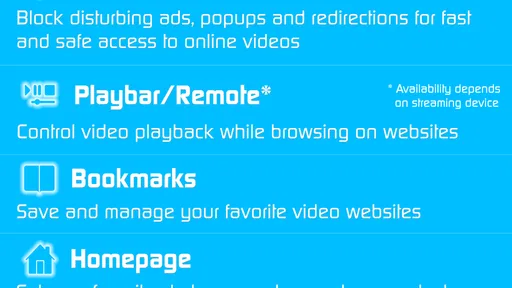
I would also be cautious with pages that constantly reload, open pop-ups or change the address during playback. These behaviors can interrupt a casting session or make the phone’s controls feel less reliable. The app is at its best with a straightforward playable stream, not with a chaotic page built around several layers of advertising and scripts.
Network conditions matter as well. Casting does not magically repair a weak wireless connection. If the phone, receiver or internet link is unstable, I may see buffering, delayed commands or a session that drops. Before blaming the app, I would test a nearby device, reduce unnecessary network traffic and confirm that both devices are still connected to the same network.
There is also a privacy and comfort consideration in shared spaces: the phone remains involved in discovering and controlling content. I would avoid handing my unlocked phone to someone merely to let them browse, and I would make sure the selected page is appropriate before sending it to a room full of people. The Everyone rating describes the app as a general utility; it does not turn every web page reached through it into family material.
How it compares with the usual alternatives
The first alternative is an official app on the television. For a service I use every day, that is usually the better choice. It tends to offer a more polished interface and a viewing flow that does not depend on finding a compatible web player. TV Cast is more useful when the official route is missing, inconvenient, or unavailable for the particular site I want.
The second alternative is the casting function already built into a phone or browser. That can be enough for people who need only occasional playback from a small number of familiar sources. The reason to consider this app instead is its emphasis on reaching several receiver types from one dedicated tool. The trade-off is paying for a specialized workflow when a built-in option may already cover the basics.
A third alternative is screen mirroring. Mirroring is broader because it can show almost anything visible on the phone, but it can also be less elegant for video. The phone may need to stay active, notifications can become visible, and the entire display is involved rather than just the media stream. A casting-focused approach is preferable when I want the television to handle the video while the phone remains a controller.
Finally, there are manufacturer-specific applications. These can be a good fit when every device in the home comes from one brand and I care about tight integration. Their weakness is fragmentation: changing televisions or adding a different receiver can mean learning another app. The appeal of TV Cast is strongest for mixed-device homes, provided the particular web sources behave well.
The real cost of switching
Moving to this app is not just a matter of installing it. I would need to identify the receivers I actually use, test the web pages that matter, and establish a routine for starting and controlling playback. That setup effort is modest, but it is still a cost. Someone who already has reliable official apps may gain little by changing.
There is also a learning curve around failure diagnosis. When a video does not play, the cause might be the network, the receiving device, the page, the stream format or the phone. I would treat the first successful test as important: try several different sources and, if possible, more than one receiver. A single successful clip proves the connection works, but it does not prove that every favorite website will cooperate.
On the other hand, the switching cost can be worthwhile for a person who regularly jumps between unrelated web sources. Instead of keeping several manufacturer tools in mind, that viewer gets one place to try first. The app becomes a practical bridge between phone-based discovery and television-based watching, especially in a home where hardware changes from room to room.
I would not make it the only solution for a household that depends on dependable, high-stakes playback, such as a planned presentation or a shared event. For those situations, I would test the exact content and equipment beforehand and keep a direct connection or official app available. Flexibility is valuable, but reliability matters more when everyone is waiting for the video to start.
Who should choose it
I recommend it most readily to people who often find videos through websites rather than through a short list of television apps. It is also a sensible candidate for mixed-device households, older setups that support one of the listed receiver standards, and viewers who dislike typing web addresses with a remote. The app’s dedicated purpose makes sense when casting is a recurring need rather than a once-a-year experiment.
I would be more hesitant for someone who watches only mainstream services with strong native apps. That person may prefer the simpler path of opening the service directly on the television. I would also hesitate if the main goal is mirroring games, photographs or every element of the phone screen, because a video-casting tool is not automatically the best answer for those broader tasks.
The developer, 2kit consulting, has kept the product positioned as a focused utility rather than turning it into a general media library. I see that as a positive when I want a direct route from a web page to a receiver, but it also means the app should be judged on that narrow job. It is not a replacement for a complete streaming subscription, a television operating system, or a professional editing suite.
After using it as a decision rather than a blanket recommendation, my view is straightforward: choose it when web-video flexibility matters more than a polished native-app experience. The combination of broad receiver support and phone-based browsing can solve a very specific everyday annoyance. The price is reasonable only if that annoyance appears often enough to justify it.
For my own recommendation, I would test the exact websites and devices first, then keep the app if it handles the sources I actually watch. If it does, it can become a convenient bridge that makes a mixed living-room setup feel simpler. If my viewing already works smoothly through official television apps or built-in casting, I would skip the purchase and avoid adding another step. In short, this is a useful specialist tool, and its value depends less on the number of supported device names than on whether it reliably connects my personal web-video habits to the screen I want.
With its Everyone age rating, accessible older Android requirement and current version 1.6, it is approachable for a wide range of users. Still, I would treat the 4.0 average as a sign to keep expectations practical rather than assuming perfection. TV Cast | Ultimate Edition is worth considering for a clearly defined casting problem; it is not something I would recommend automatically to every television owner.
Pros
- Supports casting web videos
- photos
- and music to many TV devices.
- Simple interface makes finding and sending media relatively straightforward.
- Works with popular platforms such as Chromecast
- Roku
- Fire TV
- and smart TVs.
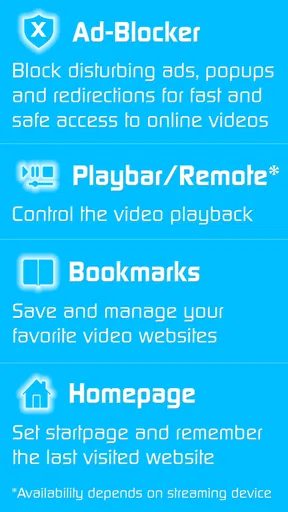
- Built-in browser helps locate compatible online videos without switching apps.
- Useful remote-control features can improve playback convenience on the TV.
Cons
- Some casting features and device support may require a paid upgrade.
- Compatibility can vary depending on the TV model
- network
- and streaming website.
- Playback may stop when websites change their video players or block casting.
- The free experience may include advertisements and upgrade prompts.
- A stable
- fast Wi-Fi connection is essential for smooth streaming and discovery.
FAQs for TV Cast | Ultimate Edition
What is TV Cast | Ultimate Edition, and what can I use it for?
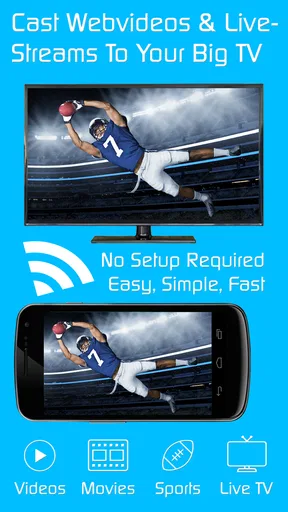
TV Cast | Ultimate Edition is a mobile casting and screen-sharing app designed to send compatible online videos, photos, music, and other media from a phone or tablet to a smart TV or streaming device. It is mainly useful when you want to watch web-based content on a larger screen without relying on the phone’s smaller display. Available features can vary depending on the television, receiver, website, and mobile platform.
Which TVs and streaming devices are compatible with TV Cast | Ultimate Edition?
Compatibility depends on the casting technology supported by your television or receiver. The app may work with selected smart TVs, streaming sticks, set-top boxes, and other devices connected to the same Wi-Fi network. Before downloading, check the app’s current store description and supported-device list, because compatibility can change by model, operating system, region, and firmware version. Some devices may require an additional receiver app.
Do my phone and TV need to be connected to the same Wi-Fi network?
In most cases, your phone and the receiving TV or streaming device should be connected to the same local Wi-Fi network so the app can discover and communicate with it. Using mobile data on the phone while the TV is on a different network may prevent casting from working. Guest networks, VPNs, router isolation, weak signals, or different frequency bands can also cause connection and playback problems.
Can TV Cast | Ultimate Edition stream every website or online video?
No casting application can guarantee support for every website or video service. TV Cast | Ultimate Edition generally works best with publicly accessible web videos that use compatible formats and do not require protected playback. Services using DRM, private streams, unusual players, pop-up-heavy pages, or strict casting restrictions may not play correctly. Some content may also require the official service app instead.
Is TV Cast | Ultimate Edition free, and are there any limitations?
The availability of features, advertising, subscriptions, and one-time purchases depends on the version and platform you install. An Ultimate Edition may include expanded casting tools or fewer restrictions than a basic edition, but users should review the current pricing and in-app purchase details before downloading. Also remember that the app does not provide free access to paid movies, shows, or subscription services.


